Hawiya · هوية · Customer identity (CIAM)
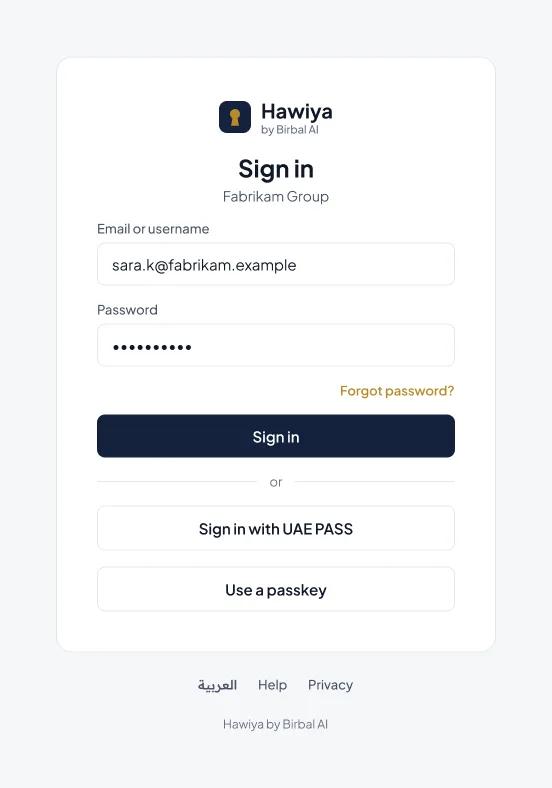
Customer identity (CIAM) sign-in with UAE PASS and passkeys.
Your customers shouldn’t need another password. Hawiya gives your portal and mobile app sign-in pages in your brand, in Arabic and English, where customers sign in with UAE PASS or a passkey, and new customers sign up with a verified identity. Every sign-in is on record, and the data stays on your servers or in the UAE or India.
- UAE PASS for verified customers
- Passkeys instead of passwords
- Your brand, in Arabic and English
Authorized vendor to
- Ministry of Finance
- Ministry of Interior
- DGE Abu Dhabi
- Etihad Aviation
- EDGE Group
Delivered for
- Hindustan Unilever
- Nokia
- Linde
- USA Today
- JSL
Procurement-ready
- Emirati national company
- National ICV certificate
- Abu Dhabi Government Procurement Gate
- UAE Ministry of Finance, federal procurement
- Registered ADNOC vendor
Why it matters
Passwords and text-message codes are where customer fraud starts
Codes can be talked out of people
A caller posing as the bank asks for the code that just arrived. A passkey can’t be read out over the phone.
Forgotten passwords cost sales
Customers who can’t sign in call the contact center or give up. UAE PASS and passkeys remove the password.
Fake accounts
Sign-up with UAE PASS brings the customer’s name and, for verified UAE PASS accounts, the Emirates ID number.
How customers sign in
From the first visit to a returning customer
- 01
Sign up
The customer chooses UAE PASS, or an email address confirmed with a code, on your own branded page.
- 02
Add a passkey
On their phone or laptop, they add a passkey unlocked with a fingerprint, face or PIN.
- 03
Sign in
Next time it is one tap: the passkey, or approval in the UAE PASS app.
- 04
Link accounts
Customers you already have are matched once, by their UAE PASS ID, and keep their history.
What you get
Customer sign-in your developers don’t have to build
Branded pages
Sign-in, sign-up and recovery pages in your brand and in Arabic and English, right to left.
For apps and APIs
OpenID Connect for your website and mobile app, with tokens your own APIs can check.
UAE PASS
Sign-in with the UAE national digital identity, with verified details for onboarding, once your organisation is onboarded with UAE PASS.
Passkeys
Passwordless sign-in on phones and laptops, tied to your real domain so fake pages can’t use them.
Recovery without the call
Customers reset access themselves with a second factor, and every step is logged.
Your data, your location
Customer accounts stay on your servers, or hosted in a UAE data center or a cloud region in India.
Product tour
The sign-in page and the rules behind it
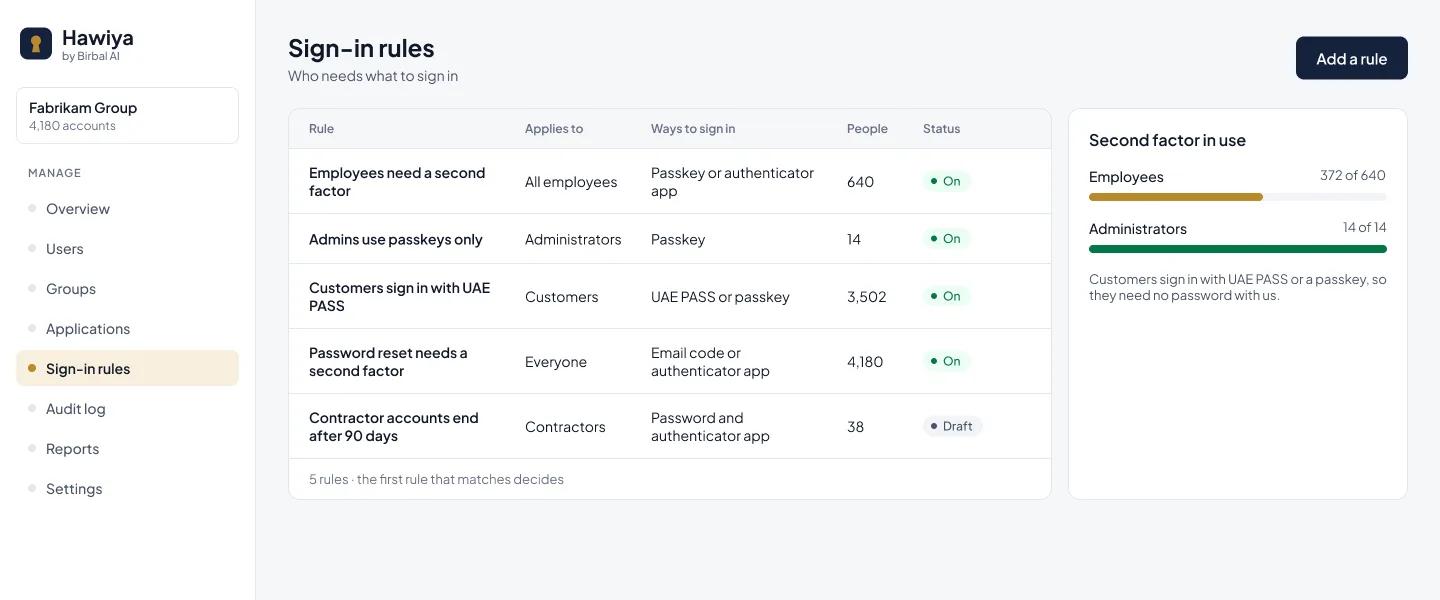
Hawiya screens for a company with employees, contractors and customers.
Customers and staff apart
Customers get their own sign-in rules, separate from employees and contractors.
Every sign-in on record
UAE PASS and passkey sign-ins appear in the audit log with the method and the result.
Fraud signals
Repeated failed sign-ins from one address are flagged on the overview.
UAE PASS
What UAE PASS sign-in needs
UAE PASS decides who may use it. From its own documentation for service providers:
A trade licence
A private company applies with a valid UAE trade licence.
Your user journey
UAE PASS asks for a workflow diagram and screen mock-ups of how customers will use it.
An agreement
Production access follows a Service Provider Agreement with UAE PASS.
In India
Customer sign-in under the RBI’s two-factor directions
The Reserve Bank of India’s directions of 25 September 2025 apply to banks and non-bank payment firms from 1 April 2026.
Two factors for payments
Digital payment transactions need at least two distinct factors, unless exempted, and outside card-present payments at least one must be dynamic.
Beyond text messages
The RBI encourages new factors of authentication. Its framework does not call for SMS codes to be discontinued.
Where Hawiya fits
Hawiya signs customers in to your app and portal with passkeys and codes. Payment authentication, such as card 3-D Secure or UPI, stays in your payment systems.
Licensing
License Hawiya on your servers or in the cloud
Hawiya is sold as a software licence, not a one-off project. You choose where it runs; the product, updates and support are the same.
On-premise licence
Runs on your servers
Install Hawiya in your data center, in your private cloud tenant or on an isolated network with no internet connection.
- Annual licence, priced by the number of users
- Your data never leaves your network
- Installation, training and updates included
- Support with agreed response times
Cloud subscription
Hosted for you
We run Hawiya for you in a UAE data center, or in a cloud region in your country.
- Monthly or annual subscription, priced by the number of users
- Hosting, backups and monitoring included
- Updates applied for you
- Single sign-on and role-based access
The price depends on the number of users and the support level. We reply within one business day and send a written quote after a short scoping call.
Sources
Where the UAE PASS and RBI facts come from
Checked on 25 November 2026.
Book a walkthrough
See a customer sign up with UAE PASS and come back with a passkey
We walk your product and security teams through customer sign-in in Hawiya, in Arabic or English, and outline what UAE PASS onboarding needs from you.
- Web and mobile apps
- In Arabic or English
- Under NDA if you need one
4.9/5 average rating · 98% client satisfaction · 150+ clients served
FAQ
Customer identity, answered
What is customer identity and access management (CIAM)?
The sign-up, sign-in and account recovery behind a customer portal or mobile app: how customers prove who they are, how their accounts are linked and kept safe, and the record of each sign-in.
How is CIAM different from workforce IAM?
Workforce IAM signs employees in to the company’s apps. CIAM serves customers at a much larger scale, on your brand’s pages, with self-service sign-up and recovery. Hawiya does both, with separate rules for each group.
Can customers sign in with UAE PASS?
Yes, once your organisation has completed UAE PASS onboarding, which for a private company starts with a valid UAE trade licence. Birbal AI’s UAE PASS integration service takes you through it.
Do customers need a password at all?
No. Customers can sign in with UAE PASS or a passkey only. You can still offer a password with a second factor for those who want one.
Can our mobile app use Hawiya?
Yes. Your app signs customers in over OpenID Connect and gets tokens your own APIs can check.
Does Hawiya handle payment authentication?
No. It signs customers in to your app and portal. Payment authentication, such as card 3-D Secure or UPI, stays in your payment systems.
How is Hawiya licensed?
As an annual on-premise licence installed on your servers, private cloud or an isolated network, or as a monthly or annual cloud subscription that we host in a UAE data center or a cloud region in your country. Both include updates and support.
Let customers in without a password
Book a Hawiya walkthrough for your portal or app.
Book a Hawiya walkthrough