Hawiya · هوية · On-premise MFA
On-premise MFA multi-factor authentication on your own servers.
Cloud MFA services check each sign-in in their makers’ data centers. When sign-in has to stay inside your network, or the network has no internet connection at all, Hawiya is designed to run there: passkeys, security keys and authenticator app codes that are checked on your servers, rules for each group, and an audit log that never leaves them.
- Works with no internet connection
- Passkeys, security keys and app codes
- Your Active Directory or LDAP
Authorized vendor to
- Ministry of Finance
- Ministry of Interior
- DGE Abu Dhabi
- Etihad Aviation
- EDGE Group
Delivered for
- Hindustan Unilever
- Nokia
- Linde
- USA Today
- JSL
Procurement-ready
- Emirati national company
- National ICV certificate
- Abu Dhabi Government Procurement Gate
- UAE Ministry of Finance, federal procurement
- Registered ADNOC vendor
Factors that work offline
Second factors that need no cloud service
Each of these is checked on your own servers, with nothing sent outside your network.
Passkeys
Checked by Hawiya against the public key it keeps, so they work on an isolated network. People confirm with a fingerprint, face or PIN on their device.
Security keys
FIDO2 hardware keys for staff with no smartphone, or where phones aren’t allowed on site, and for administrators.
Authenticator app codes
Six-digit codes that change every 30 seconds, worked out on the phone and on your server from a shared secret, with no connection between them.
Compared
On-premise MFA compared with a cloud MFA service
Where each sign-in is checked decides what happens when the connection to the outside world goes.
| Question | Hawiya on your servers | A cloud MFA service |
|---|---|---|
| Where each sign-in is checked | On your servers | In the provider’s data centers |
| With no internet connection | Keeps working with passkeys, security keys and app codes | Sign-ins that need the service can’t be checked |
| Where the sign-in record is kept | On your servers, for as long as you set | With the provider, for its retention period, unless you export it |
| Updates | Tested and installed on a schedule you approve | Applied by the provider |
| Text messages and push approvals | Text messages through a local provider where the network allows | Usually included |
Azure MFA Server
Replacing Azure MFA Server, retired in September 2024
Microsoft stopped new MFA Server deployments in 2019, and since 30 September 2024 MFA Server no longer services multi-factor authentication requests.
What stopped
Azure Multi-Factor Authentication Server was Microsoft’s MFA for your own servers. Microsoft’s path now is the cloud MFA in Microsoft Entra ID.
Where Hawiya fits
For web apps that must keep sign-in on your servers, Hawiya puts MFA in front of them over SAML 2.0 and OpenID Connect, with users from your Active Directory.
What Hawiya does not cover
MFA Server also guarded VPNs through RADIUS and Windows sign-in. Hawiya version 1 does neither, so keep another tool for those.
Installing it
From installation to enforced MFA
- 01
Install
On your servers or private cloud, with two servers and a standby so sign-in survives a failure.
- 02
Connect
Your Active Directory or LDAP, and your apps over SAML 2.0 or OpenID Connect.
- 03
Enrol
People register a passkey, a security key or an authenticator app at their next sign-in.
- 04
Enforce
Switch the rule on for each group, starting with administrators.
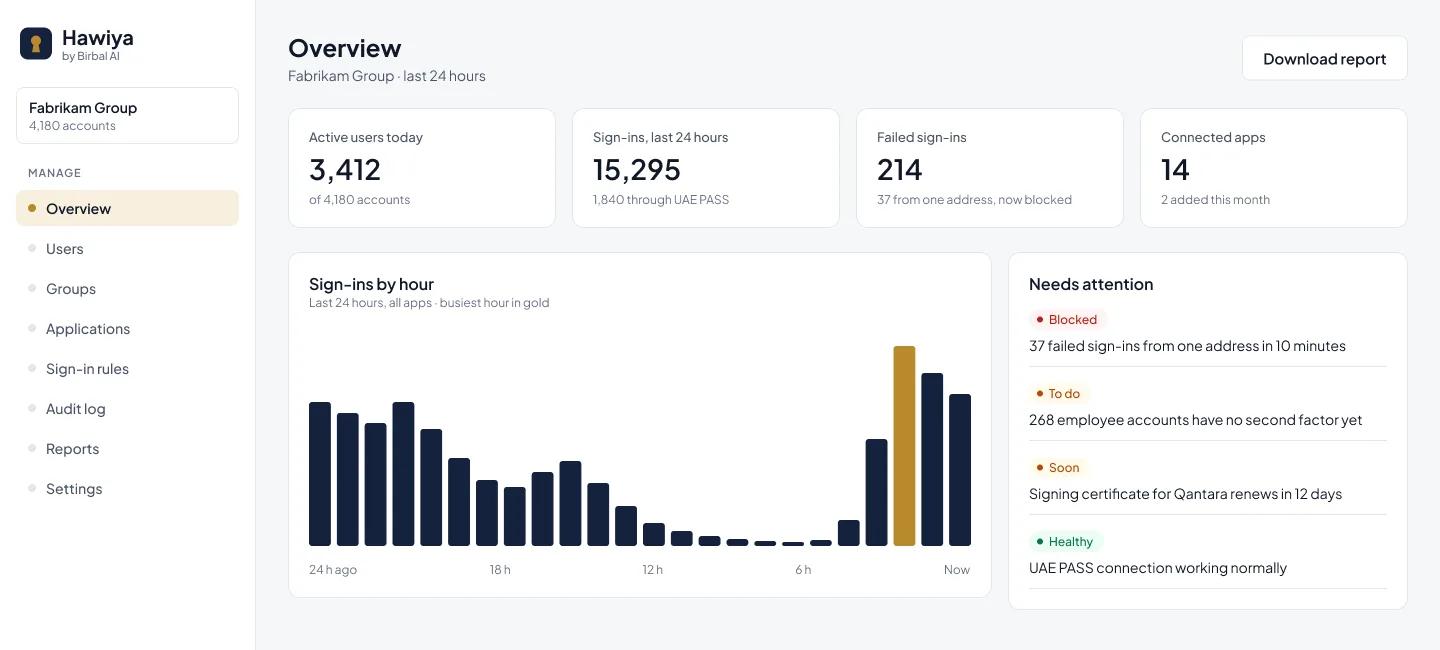
Product tour
See Hawiya at work
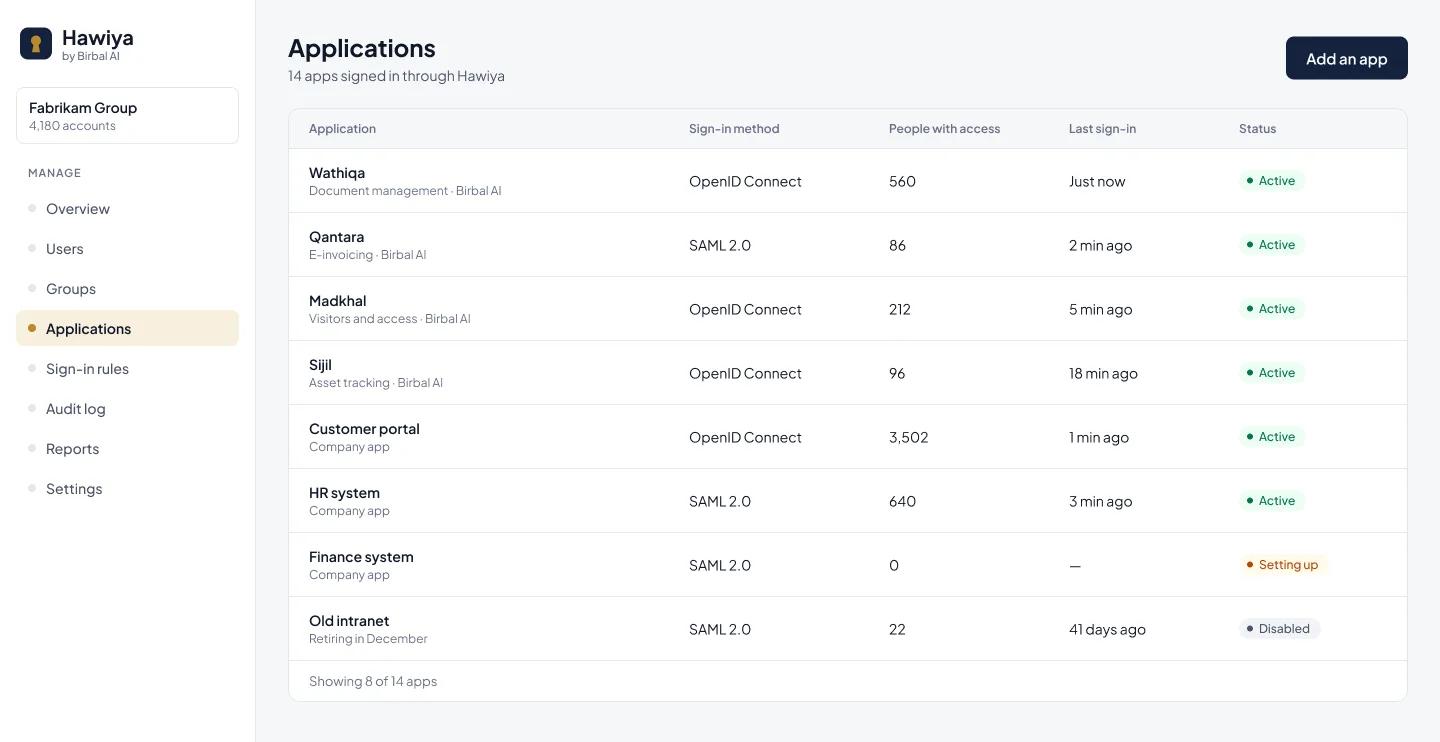
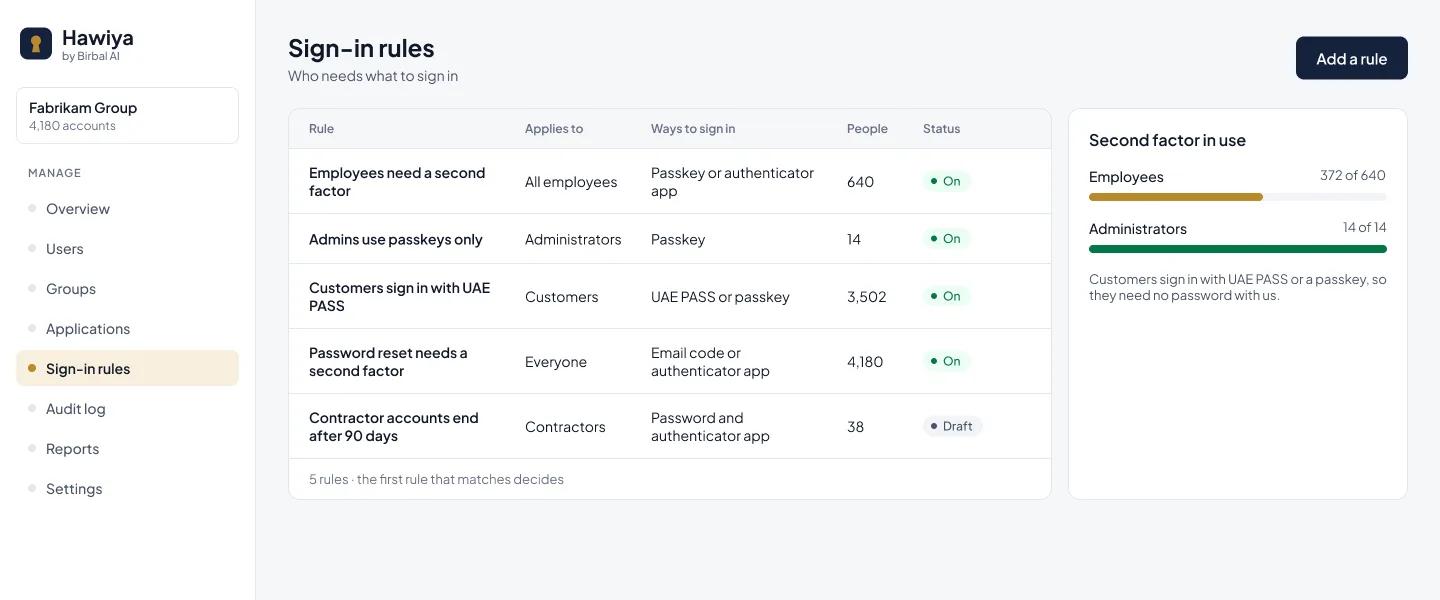
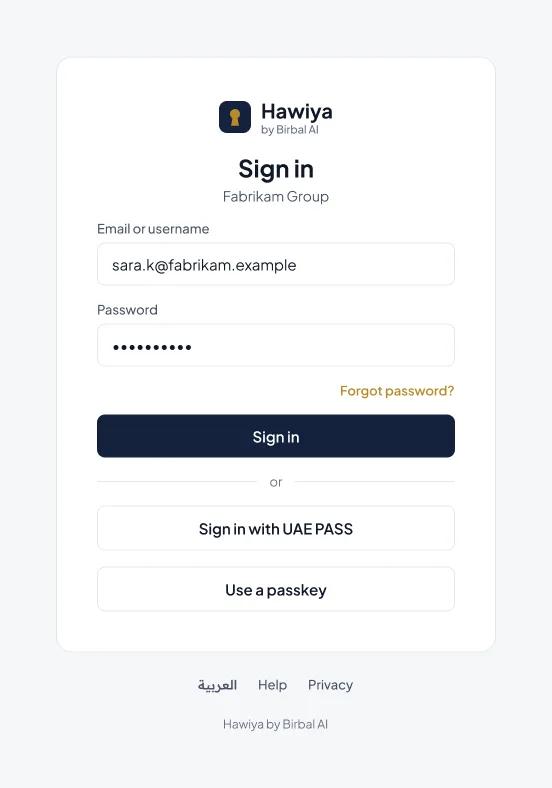
Hawiya screens for a company with employees, contractors and customers.
One sign-in for every app
People sign in once, and connected apps trust that sign-in over SAML 2.0 or OpenID Connect.
Clear rules for each group
Each group gets the ways to sign in it is allowed, and the first rule that matches decides.
Everything on record
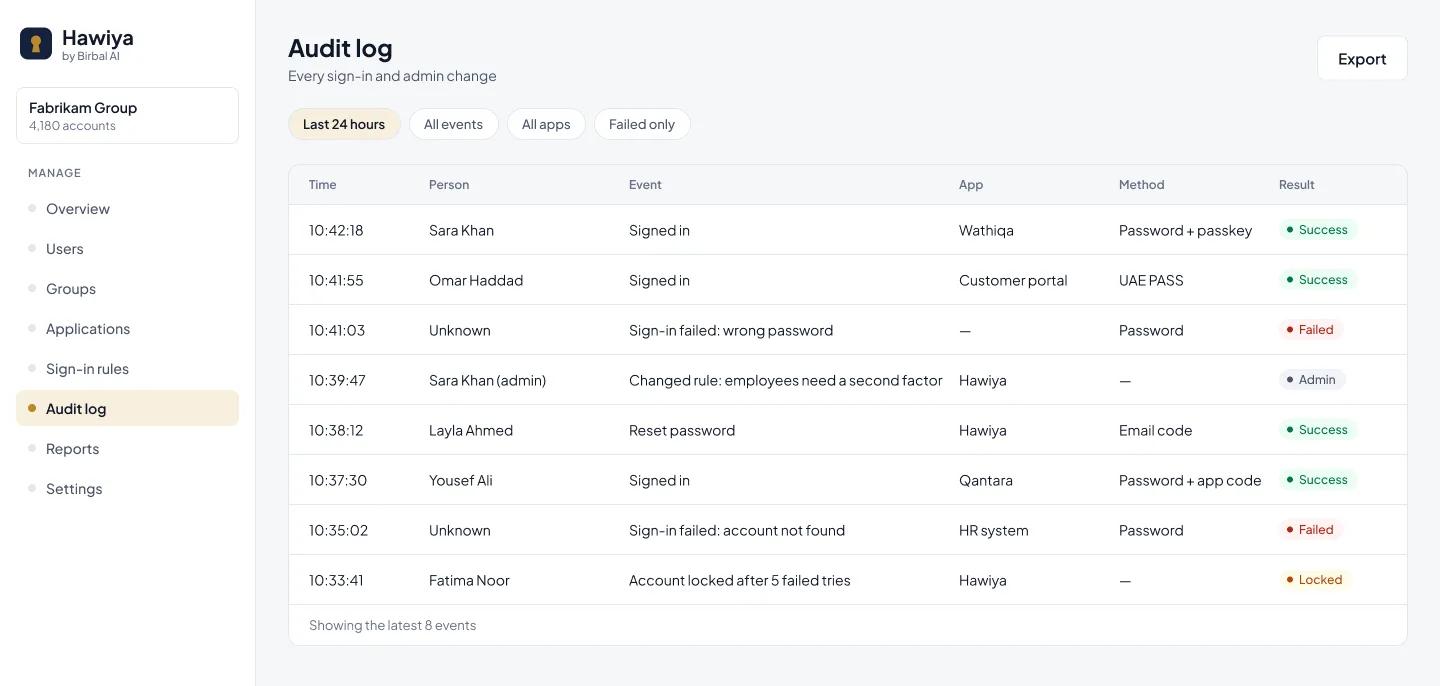
Every sign-in and admin change goes in the audit log, with the person, the time and the result.
Licensing
License Hawiya on your servers or in the cloud
Hawiya is sold as a software licence, not a one-off project. You choose where it runs; the product, updates and support are the same.
On-premise licence
Runs on your servers
Install Hawiya in your data center, in your private cloud tenant or on an isolated network with no internet connection.
- Annual licence, priced by the number of users
- Your data never leaves your network
- Installation, training and updates included
- Support with agreed response times
Cloud subscription
Hosted for you
We run Hawiya for you in a UAE data center, or in a cloud region in your country.
- Monthly or annual subscription, priced by the number of users
- Hosting, backups and monitoring included
- Updates applied for you
- Single sign-on and role-based access
The price depends on the number of users and the support level. We reply within one business day and send a written quote after a short scoping call.
Sources
Where the Microsoft facts come from
Checked on 26 November 2026.
Book a walkthrough
See MFA running on servers you control
Tell us how your network is set up and which apps need a second factor. We walk your team through Hawiya installed on your own servers, in Arabic or English.
- For isolated networks too
- In Arabic or English
- Under NDA if you need one
4.9/5 average rating · 98% client satisfaction · 150+ clients served
FAQ
On-premise MFA, answered
What is on-premise MFA?
Multi-factor authentication that runs on your own servers rather than in a provider’s cloud: the second factor is checked, and the record kept, inside your network. Hawiya is designed for it, including networks with no internet connection.
Does on-premise MFA work without an internet connection?
Yes, with factors that don’t need one: passkeys, security keys and authenticator app codes. Text messages need a link to a provider, so they are left out of isolated networks.
What replaces Azure MFA Server?
Microsoft’s answer is the cloud MFA in Microsoft Entra ID. If sign-in must stay on your servers, Hawiya can put MFA in front of your web apps over SAML 2.0 and OpenID Connect. For VPNs through RADIUS and Windows sign-in, which MFA Server also covered, you will need another tool: Hawiya version 1 does not cover them.
Which apps can Hawiya’s on-premise MFA protect?
Web apps that sign in over SAML 2.0 or OpenID Connect, which covers most business apps and portals. The second factor is checked once at Hawiya’s sign-in, then every connected app opens.
Can we keep our Active Directory?
Yes. Hawiya reads users and groups from Active Directory or LDAP and checks their password there; the second factor is added at Hawiya’s sign-in.
Is on-premise MFA harder to run than cloud MFA?
There are servers to patch and back up. Hawiya’s on-premise licence includes installation, training, updates and support, and the same product can be hosted for you in the UAE or India if you change your mind.
How is Hawiya licensed?
As an annual on-premise licence installed on your servers, private cloud or an isolated network, or as a monthly or annual cloud subscription that we host in a UAE data center or a cloud region in your country. Both include updates and support.
A second factor that stays inside your network
Book a Hawiya walkthrough on your own servers.
Book a Hawiya walkthrough